Installation
Requirements
| Requirement | Notes |
|---|---|
| Blender | 4.2 LTS or newer (tested through Blender 5.x) |
| OS | Windows, macOS, Linux — anywhere Blender runs |
| Dependencies | None. Everything ships inside the add-on; no internet, no external installs |
Gradient Tools is distributed as a Blender extension (.zip) with the id
gradient_tools.
Install the extension
- Download
GradientTools_vX.Y.Z.zip. - Open Blender and drag the
.zipstraight into the Blender window. - Confirm the install dialog.
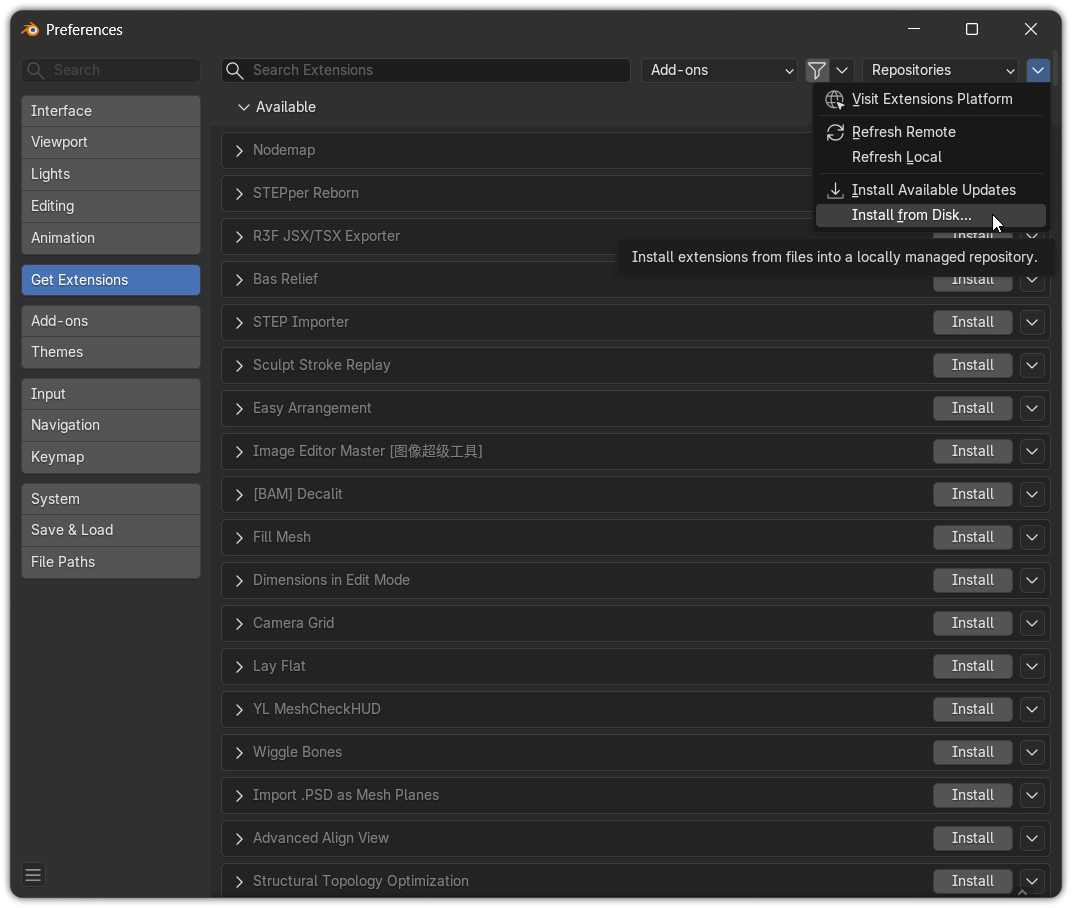
- Edit ▸ Preferences ▸ Get Extensions (or Add-ons).
- Click the ▾ menu (top-right) ▸ Install from Disk…
- Select
GradientTools_vX.Y.Z.zipand confirm.
After installing, make sure the add-on is enabled (the checkbox next to Gradient Tools in the add-ons list).
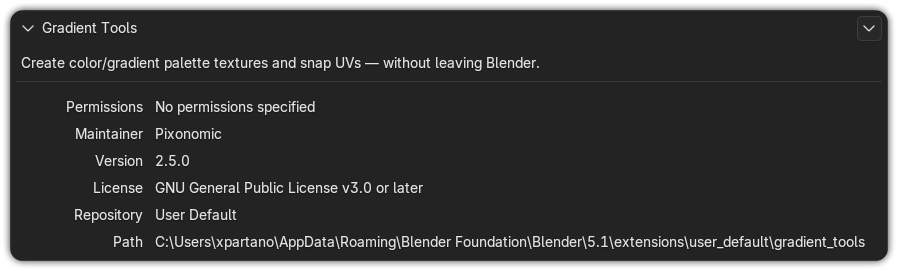
You're done
Open the 3D Viewport, press N to show the sidebar, and look for the Gradient Tools tab. If it's there, you're ready — head to the Quick start.
Updating
Install the new .zip the same way; Blender replaces the previous version. Your palettes
live inside each .blend file, so updating the add-on never touches your work.
Coming from the old “GradientSmith” add-on?
Gradient Tools changed its internal extension id and material markers. Blender treats it
as a new extension (so you may need to re-enable it and re-set your preferences), and
very old .blend files saved with the legacy add-on may not auto-recognize their
materials. New work is unaffected.
Where it appears
Once enabled, Gradient Tools adds a Gradient Tools tab to the sidebar (N) of both:
- the 3D Viewport, and
- the Image / UV Editor.
See The interface for a tour of the panels.
License
Gradient Tools is free software licensed under GPL-3.0-or-later (the standard license
for Blender Python add-ons). You may use it commercially; the full license text ships
inside the add-on (LICENSE).